
What is Creator +? #
Creator+ is a content-authoring tool for creating and updating engaging course content without instructional design expertise. It includes some optional AI features through Lumi.
When will Creator + be available in my courses? #
Creator + will be available in live Spring 2027 Course shells. Currently, Creator + features cannot be copied into other semesters, starter shells, sandboxes, or department courses until it is enabled at-large. PPSC has requested Creator + be released to Starter Shells and Sandboxes and more information will be available if this request is fulfilled.
Am I required to use Creator +? #
No. Use of these tools is entirely optional.
Where do I find Creator +? #
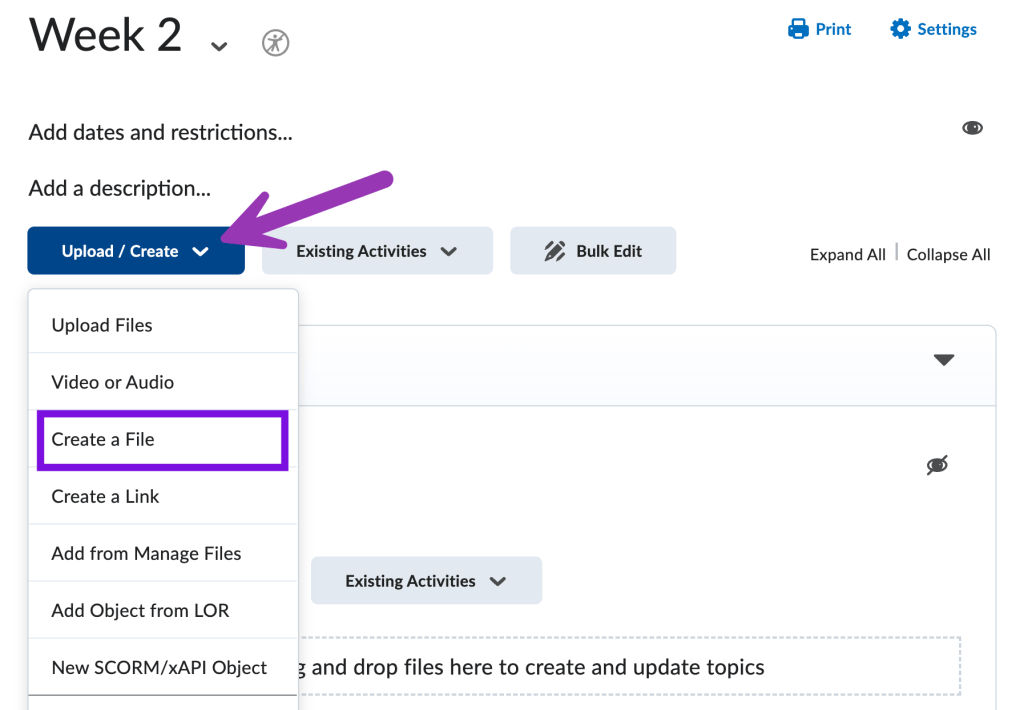
In Content, click the “Upload / Create” button and select “Create a File”.
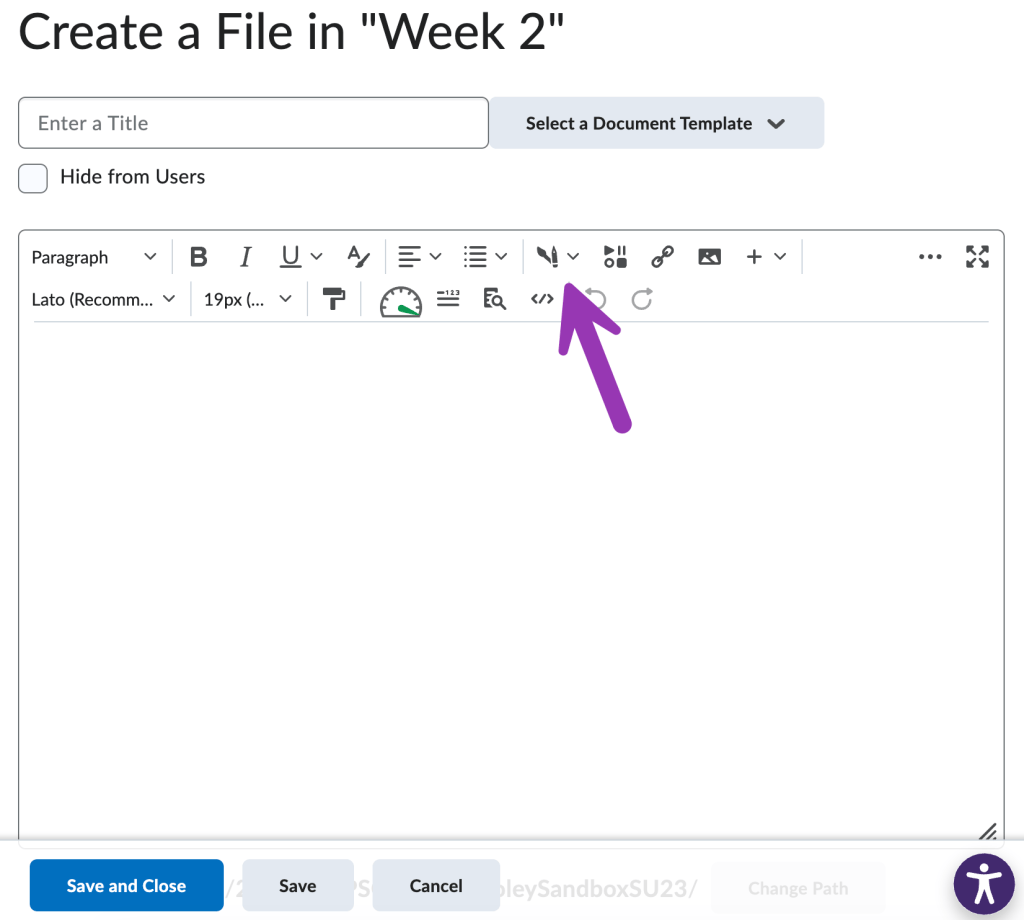
Then, select the Creator + icon in the WYSIWYG toolbar. The icon looks like a pencil with a paintbrush shadow.
Can Creator + Practices count towards a grade? #
No. Creator + Practices are student self-assessments. If you are interested in creating a graded activity in a content page, many H5P activities can send scores to the grade book.
Is Creator + content accessible? #
Creator+ is built for accessibility and works on mobile devices. It is recommended to still check items such as alt text, headings, and color contrast.


You must be logged in to post a comment.