
If you are an instructor with multiple courses, or a department chair, you may want to to publish an announcement to multiple courses at once.
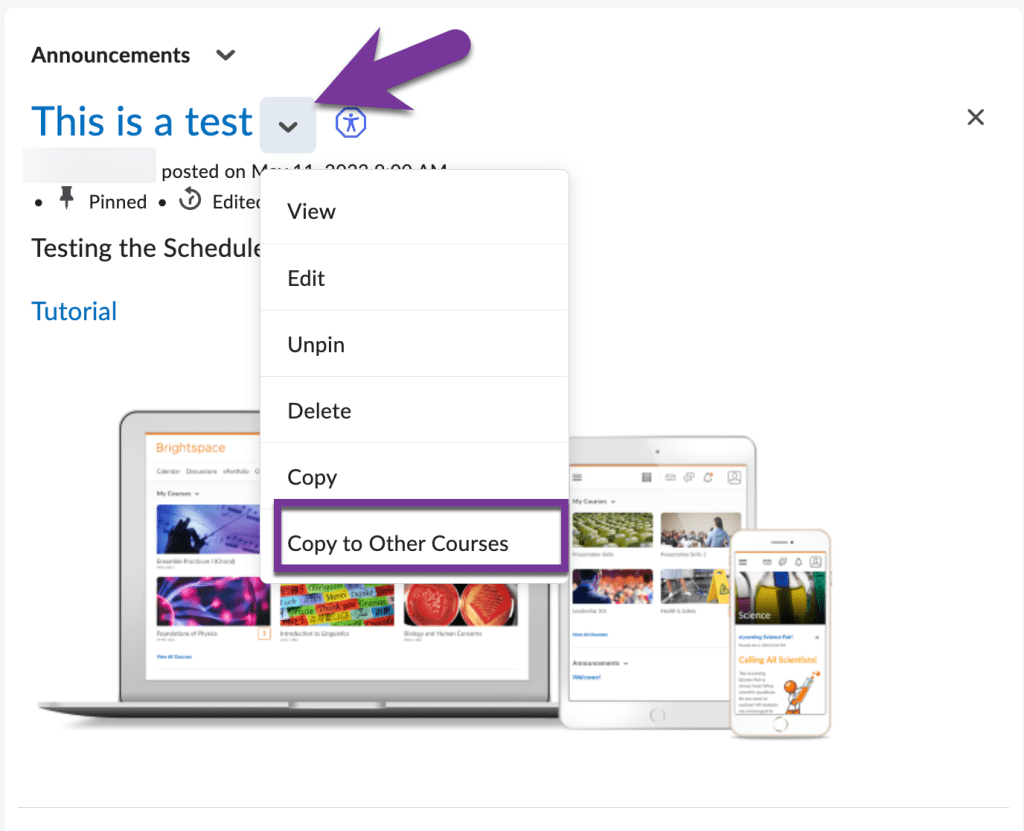
To do this, make the announcement in one course, then click the down arrow next to its title and select “Copy to Other Courses.”
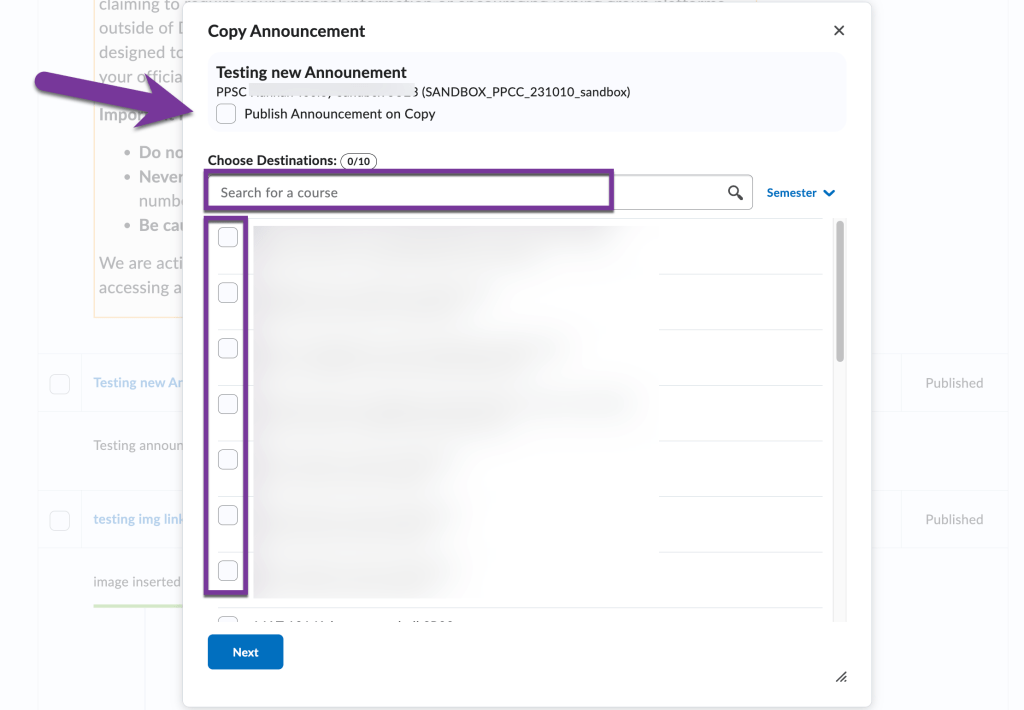
Then, you can search for and select up to 10 courses at a time to copy the announcement to. You may also want to check the box to “Publish Announcement on Copy”; otherwise, the announcement will be copied over to the other course in a draft state. Check the box next to the course you want to copy the announcement to, then click “Next”.
The next screen will confirm the courses you are copying the announcement to. Click “Copy.”

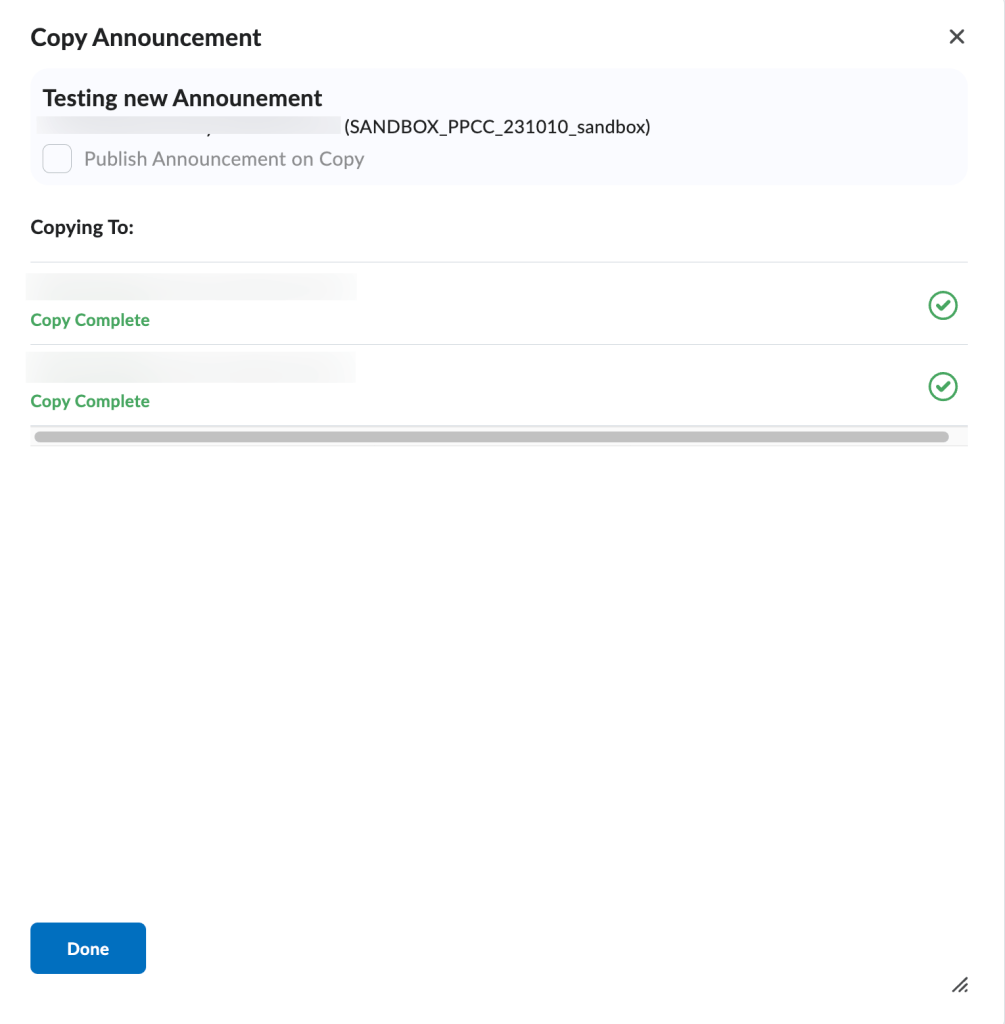
It will then show you a progress screen where you track when the copy is complete for each course. Repeat this process if you need to copy an announcement to more than 10 courses.


You must be logged in to post a comment.