
Beginning Fall 2026, the way instructors integrate their Pearson Publisher Online Platform links will change. Links created in courses prior to Fall 2026 will no longer work, and will not be updated if they are copied into a course for Fall 2026. We recommend that instructors schedule an appointment with Pearson to go over the initial setup for at least one course to walk through the new integration steps.
Why Migrate? #
Pearson has introduced a new integration method called Pearson Seamless. Pearson Seamless will integrate course links via LTI 1.3, rather than LTI 1.1.
What this means:
- Increased security and data protection for instructors and students
- More timely and accurate syncs grades and course progress to the D2L Gradebook, greatly saving instructors time and reducing manual errors.
- There will also be one method of integrating Pearson courseware going forward, rather than the several methods currently used at PPSC, which will allow support teams to provide more clear and accurate assistance.
Teaching a PPSC Home Section Course? #
Below is a guide for setting up PPSC home sections with Pearson’s publisher online platforms (MyLab, Mastering, etc.) You can follow the outlined steps whether or not your course uses Inclusive Access. If your course previously used a Barnes & Noble link to access a Pearson platform, you will also need to integrate links using the new Pearson Seamless method.
Pikes Peak Home Campus Instructor Guide FA26.docx
Teaching a CO Online Pooled Section Course? #
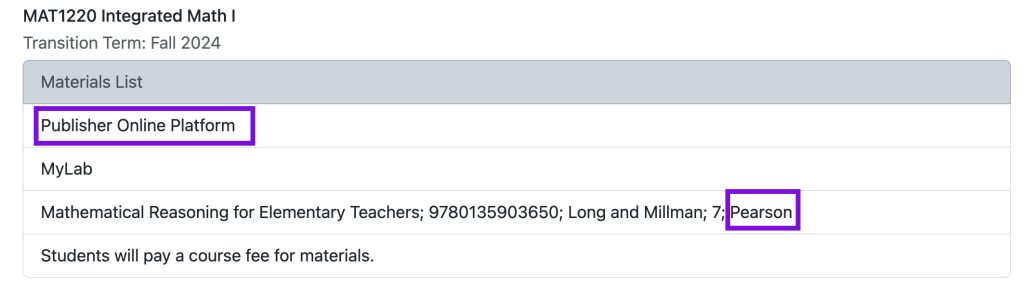
If an instructor is teaching a Colorado Online Pooled section that uses a Pearson Publisher Online Platform, we recommend enrolling in the Teaching Resource shell for the class on the Colorado Online Course Materials and Teaching Resource Dashboard. This Teaching Resource shell can be copied into your live course shells and will have the Pearson links. There will also be a Pearson Template Course Code in the Instructor Resources module that will be needed to finalize the connection.

Please see the following article for instructions on how to integrate the Pearson links for a Colorado Online pooled section class.
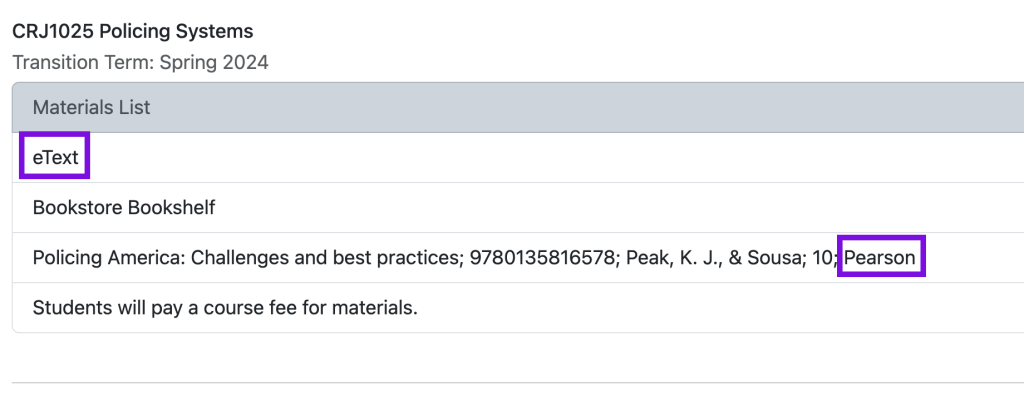
Note: If your course is listed as using an eText from Pearson on the Colorado Online Course Materials and Teaching Resource Dashboard, you will integrate your eText via a Barnes and Noble link as normal. The above steps are only for courses that require a Pearson Publisher Online Platform.
Need Help? #
We recommend reaching out to Pearson’s support team first for any questions regarding integrating Pearson course materials.
- Phone: 1-855-675-0144
You may also reach out to the PPSC eLearning department for assistance (elearning@pikespeak.edu, 719-502-3555).


You must be logged in to post a comment.