
If you have a video file that you would like to submit to D2L, one way you can submit the file is through the Yuja Video Media Chooser.
To begin, start a new submission for your assignment, discussion thread, or written response quiz question. Then click the Insert Stuff icon from the toolbar, which looks like a play, pause, record, and stop button.

Then, click “Yuja (PPSC) – Media Chooser”.
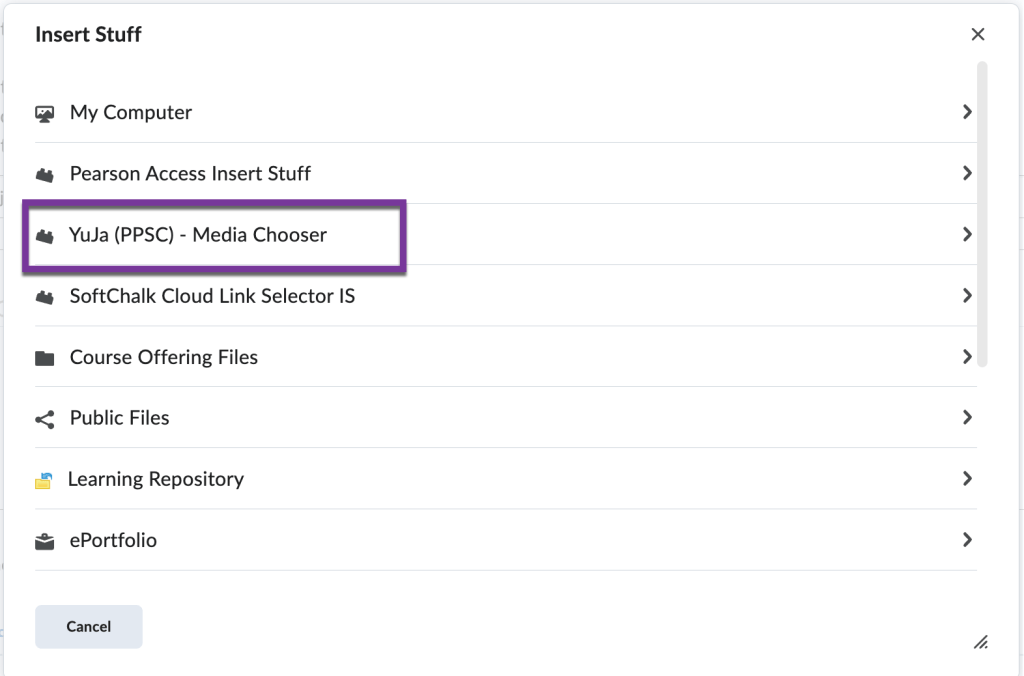
Then, click the “Upload Media” tab.

Then, you can drag & drop your file or click “Choose Media” and locate the file on your computer.

Click on the Upload Media button and choose “Upload”.

Depending on how big your video file is, you may need to wait a few minutes for your video to process. Once it has finished processing, click on the video to select it and click “Insert Content”.
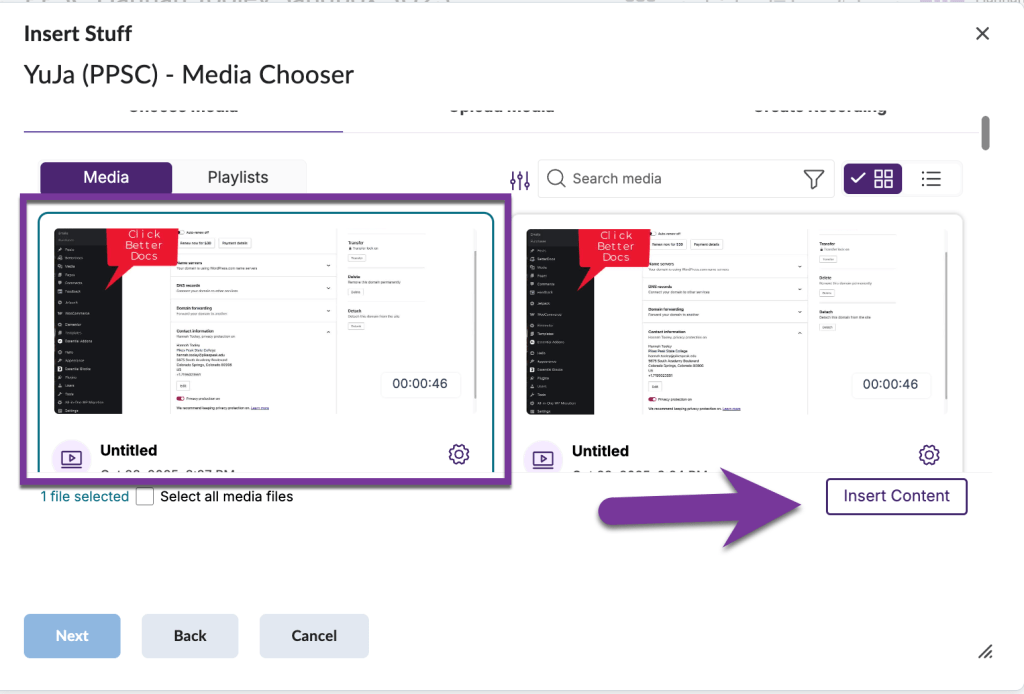
In the next window, you’ll have the opportunity to preview the video before the video is inserted into your submission. Click on the “Insert” to continue.

After this, you should see your video pop up in your submission box. The last thing you will need to do is to submit your assignment, discussion, or quiz.


You must be logged in to post a comment.