
If you have placed the link to Simple Syllabus in your D2L course shell, students will be able to access it via the same link once courses have started. If you want to send students a link to your Simple Syllabus before classes start, please follow the instructions below to get a shareable link to your syllabus.
Note: You must have submitted your Simple Syllabus to get the shareable link to your syllabus.
Navigate to your D2L course shell and open up your Simple Syllabus link in Content.
Click the down arrow next to the “Edit” button. Select “Share”.
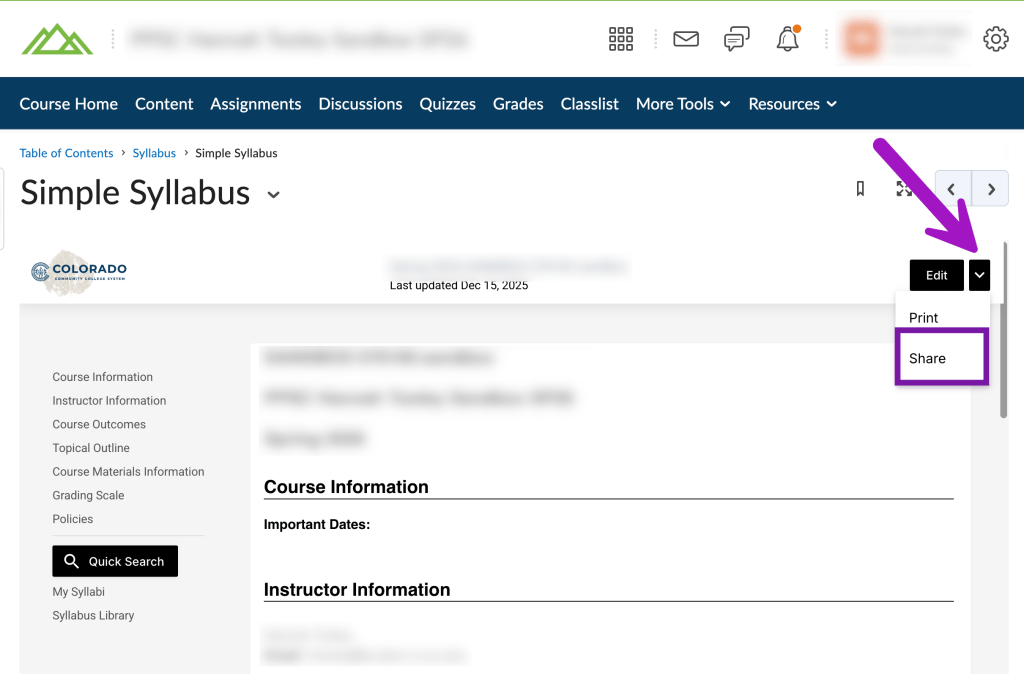
A shareable link will be copied to your clipboard. You can now paste this link in an email to your students, or anywhere else you would like to share the link.
Working from the Simple Syllabus Dashboard #
If you are working from the Simple Syllabus Dashboard, locate your completed syllabus in the “Completed” Column. Then, click on the “Share” button.
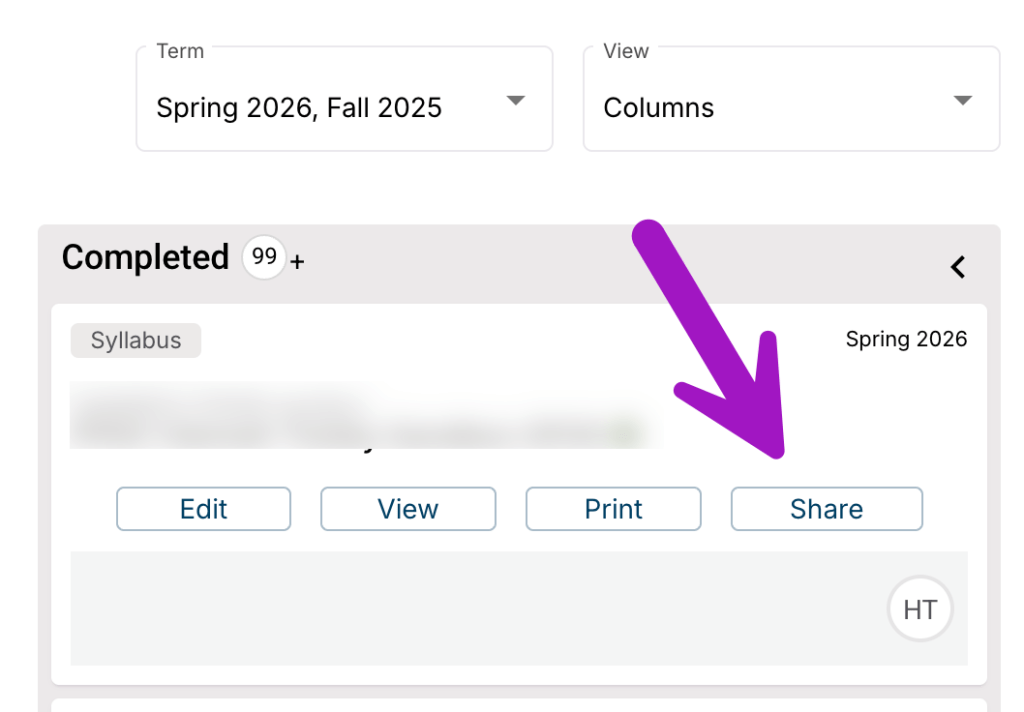
You will then have the option to share a web version of the syllabus (Syllabus URL), or a PDF version of the syllabus (Syllabus PDF URL). Click the “Copy” button to copy the link to your clipboard. You can now paste this link in an email to your students, or anywhere else you would like to share the link.
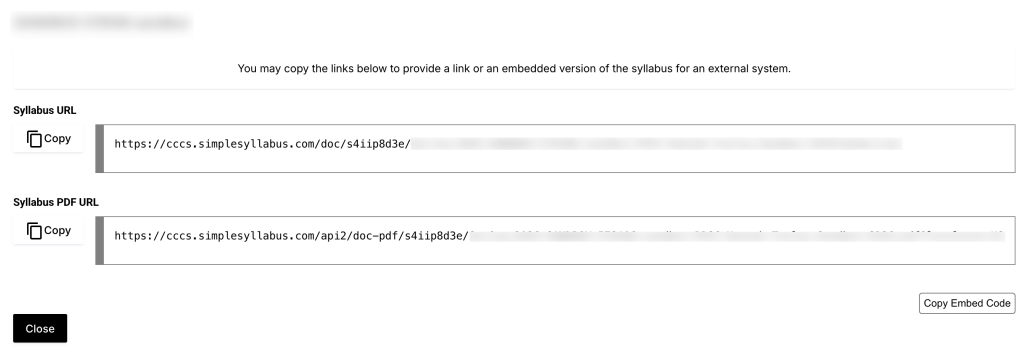
Note: Features like student reports and tracking will not be available when sharing the syllabus via this sharable link. Be sure to add the Simple Syllabus External Learning Tools link to your D2L course shell in order to receive all available features.


You must be logged in to post a comment.