
When you create a new announcement or edit an announcement in a course, you can now send a copy of the announcement to all students in your Classlist as an internal D2L email.
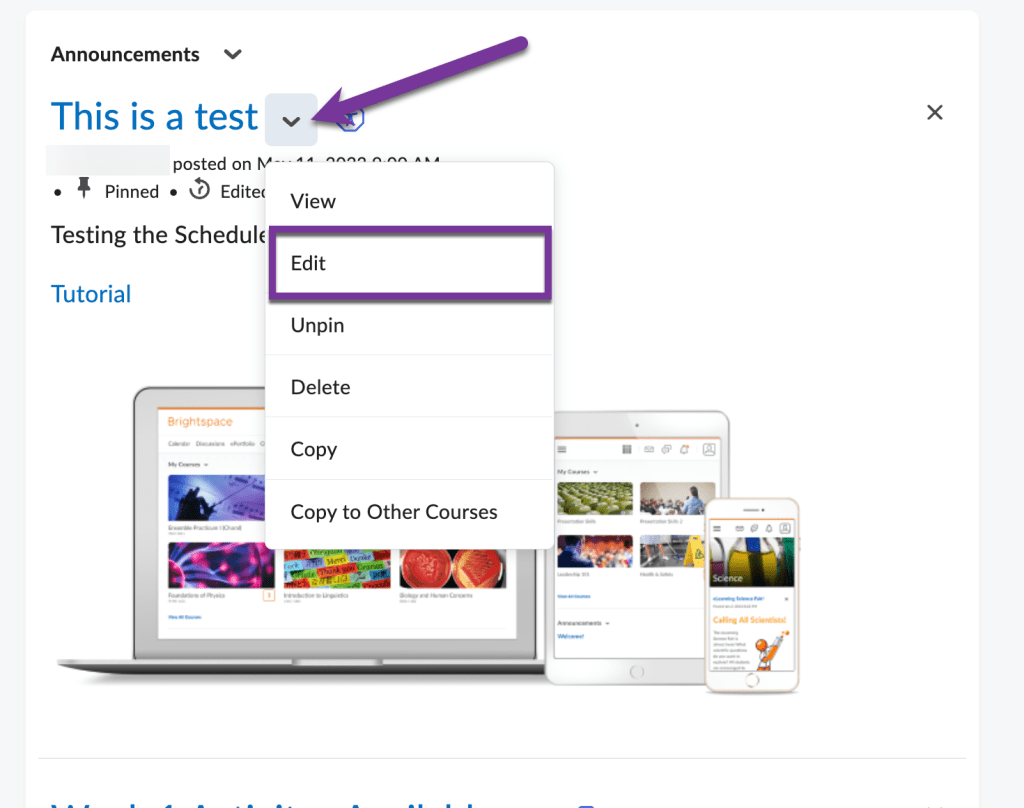
To get started, either create an announcement or edit the announcement by clicking the down arrow next to the title and selecting “Edit.”
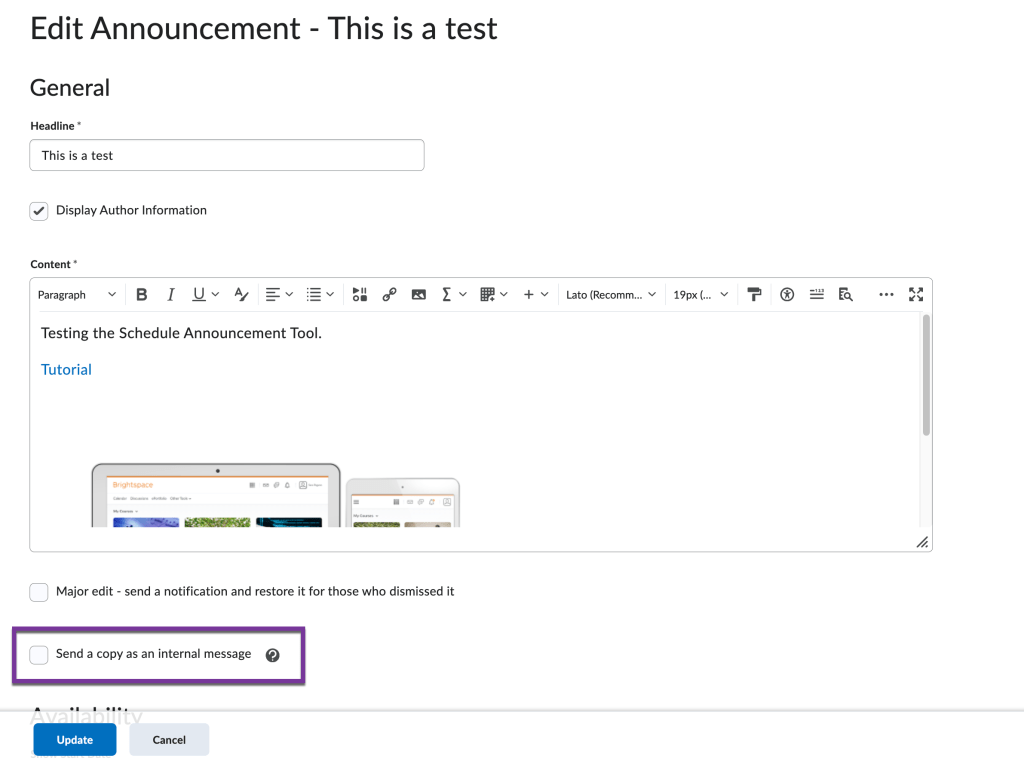
Underneath the content window is a box to check that will “Send a copy as an internal message.”
A few things to note:
When this box is selected, a copy of the announcement will be sent as an internal message to all enrolled users, including those who have opted out of announcement notifications upon publishing.
- The internal email message will originate from the D2L internal email address of the person who publishes the announcement.
- This option will be automatically deselected when an announcement is copied or edited and must be selected again before republishing.
- Please be aware that if users are already receiving automated notifications about announcements, this may result in duplicate messages.
Upon clicking “Update” if editing an announcement or “Publish” if creating a new announcement, a copy of your announcement will be sent to your students via D2L internal email.


You must be logged in to post a comment.