
Rubrics can be a powerful tool for you and your students. To implement them in an assignment, we recommend first creating the rubric using the Rubrics tool.
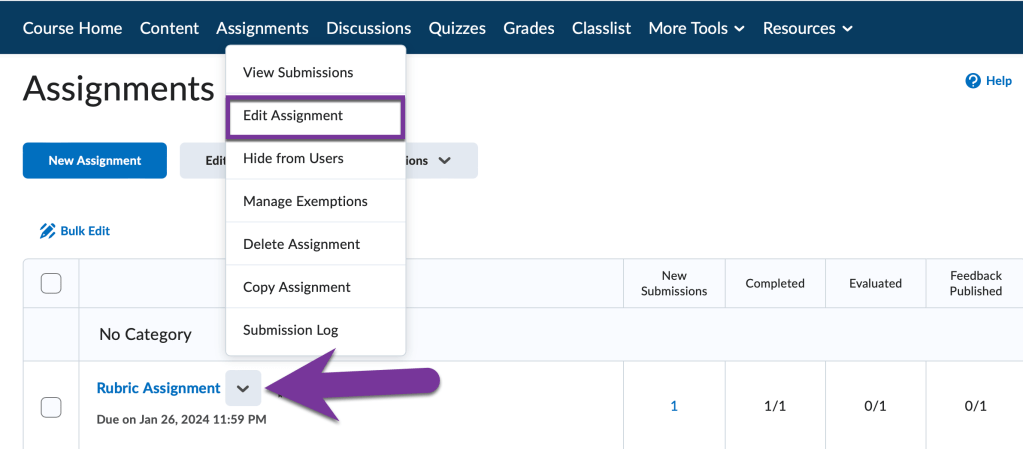
Once that’s complete, it can be linked to a submission folder under Assignments. Navigate to your course and click on assignments. Then, click on the down arrow next to the title of the assignment you want to add a rubric to, and select “Edit Assignment”.
Click on the Evaluation & Feedback Menu to open it. Under the Rubrics section, click on “Add Rubric”. Then, choose “Add Existing” if you’ve already created your rubric using the Rubrics tool.

Check the box next to the Rubric you wish to add and then click Add Selected at the bottom of the page.
Click Save and Close when finished, and the rubric will be attached to the submission folder. Now when students open their submission folder under Assignments, they will see the rubric (without the feedback) before they submit their papers:

After students start submitting their Assignments, you can grade the Assignment using the Rubric you’ve created.


You must be logged in to post a comment.