
If you’ve received a Test Bank Zip file from a publisher or third-party vendor, this file can be easily uploaded to the D2L Question Library.
Note: If a publisher does not have an option to download a test bank file for D2L or Brightspace, Blackboard files are usually the most compatible with D2L.
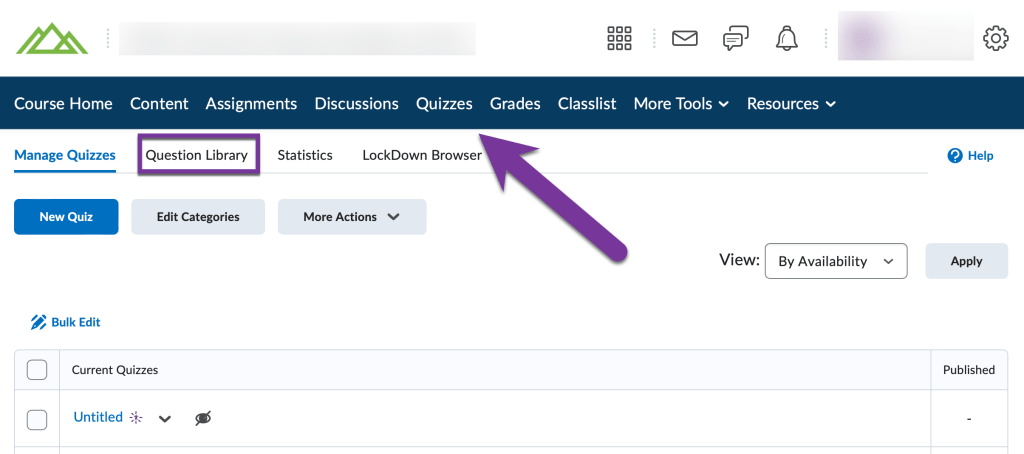
Navigate to your course and click on “Quizzes”. Then, click on the Question Library tab.
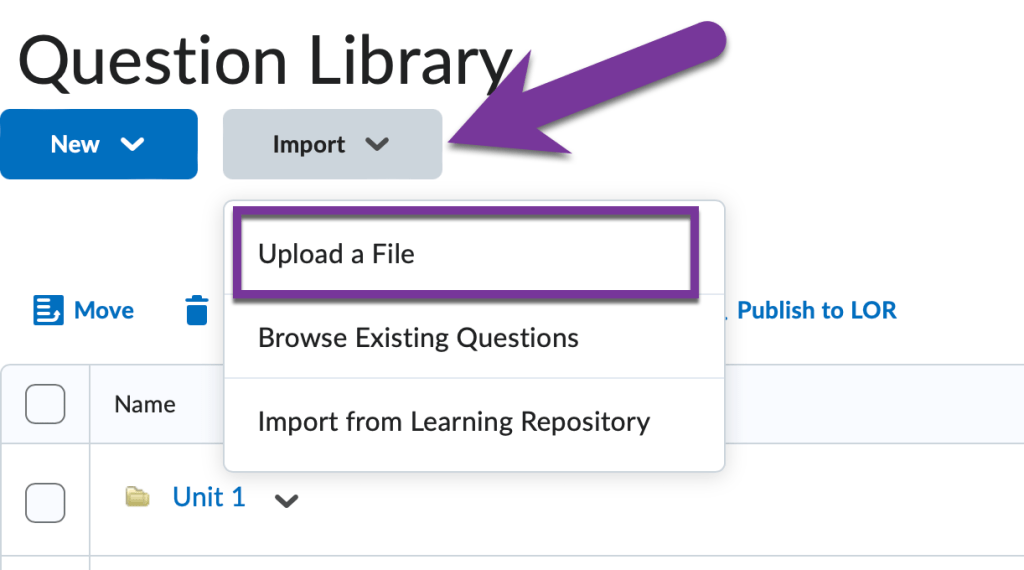
Near the top of the screen, click on “Import”, then choose “Upload a File”.
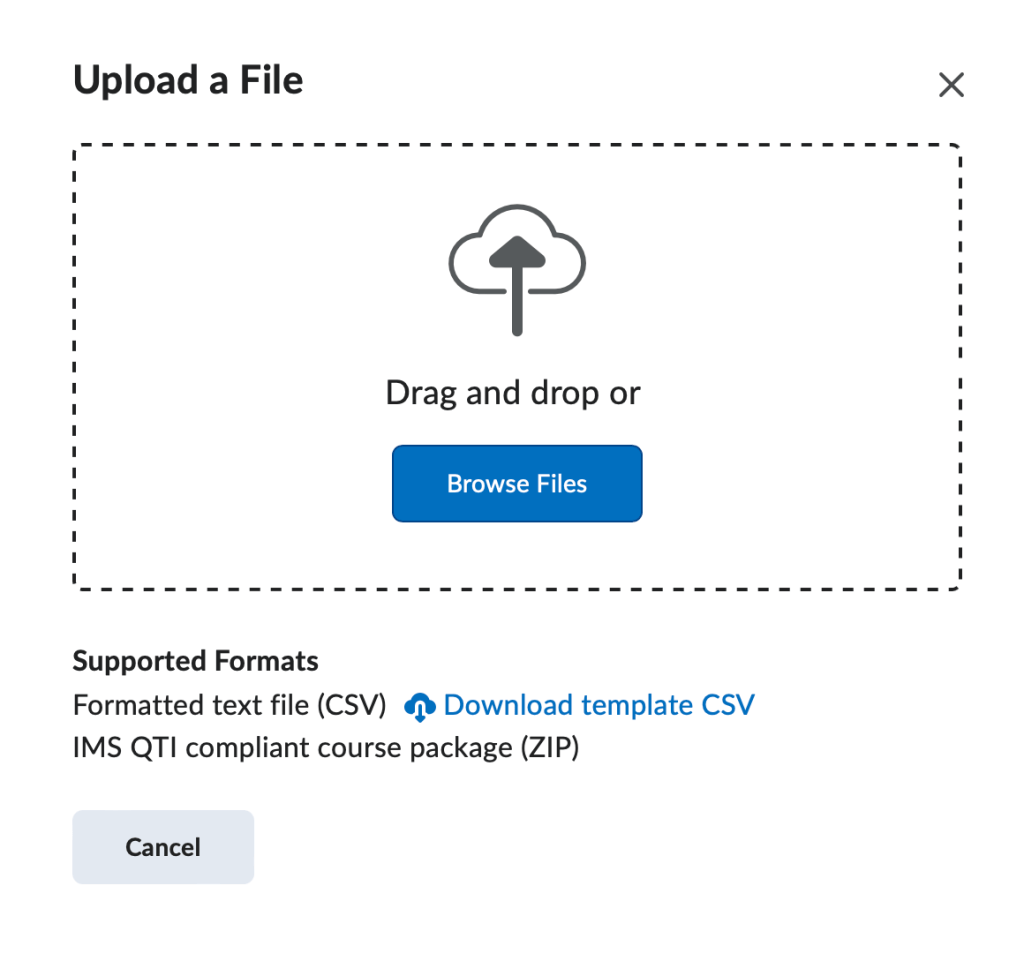
You can now drag and drop the Zip file you received from the publisher to this window, or select the file by clicking on Browse, and locating the file on your computer.
After this, you should see a progress screen. Please don’t navigate off this screen until it lets you know the file was imported successfully.
Now you can start creating a quiz from your question library!
If you run into any issues with importing your Test Bank files, please reach out to us at elearning@pikespeak.edu or file a JIRA support ticket.


You must be logged in to post a comment.