
If there is a grade item that you would not like students to see, follow the steps below.
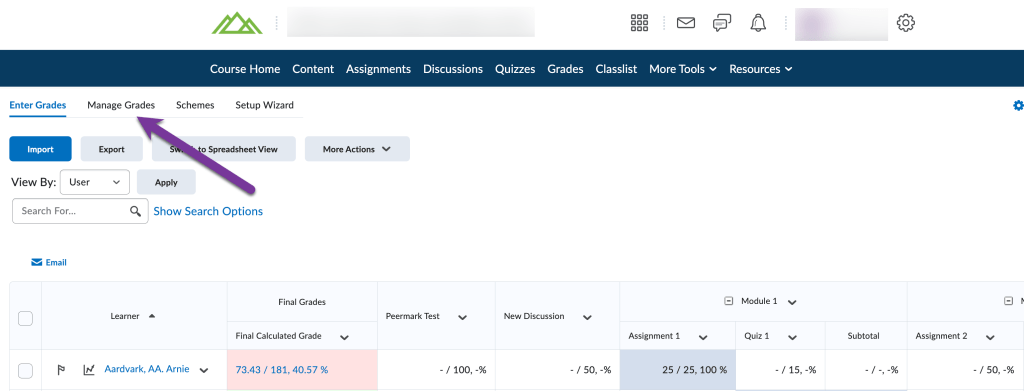
Navigate to Grades. Then, click on the “Manage Grades” tab.
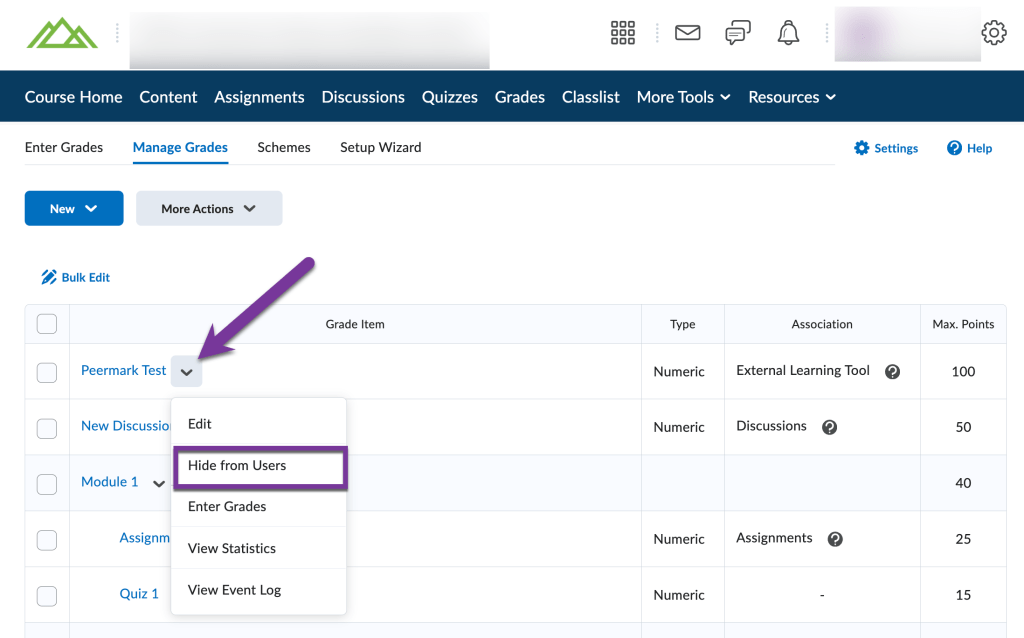
Locate the grade item you would like to hide. Click on the down arrow next to the grade item title, then select “Hide from Users”.
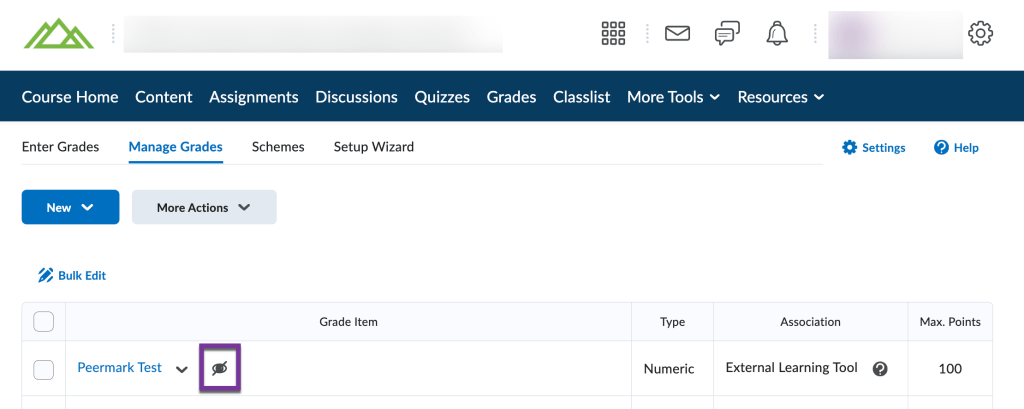
Your screen will refresh, and you should see a crossed-out eye icon pop up, showing that the grade item is now hidden from students.
Note: Although students will no longer be able to see the grade item in their grade book, the grade item will still be calculated in the the students overall grade, unless you choose to Exclude the Grade Item from the Final Grade Calculation.


You must be logged in to post a comment.