
Instructors will often want to hide materials from their students. Perhaps it’s an assignment you’re working on, but it’s not quite ready for prime time yet. Or maybe it’s future assignment may give answers to an earlier assignment, and so it needs to be hidden for a while.
You can hide assignments, quizzes, discussions, modules, items inside modules, etc from students. The process for hiding each of these is very similar. Click the down arrow (⌄) next to the item name and then choose “Hide from Users”.
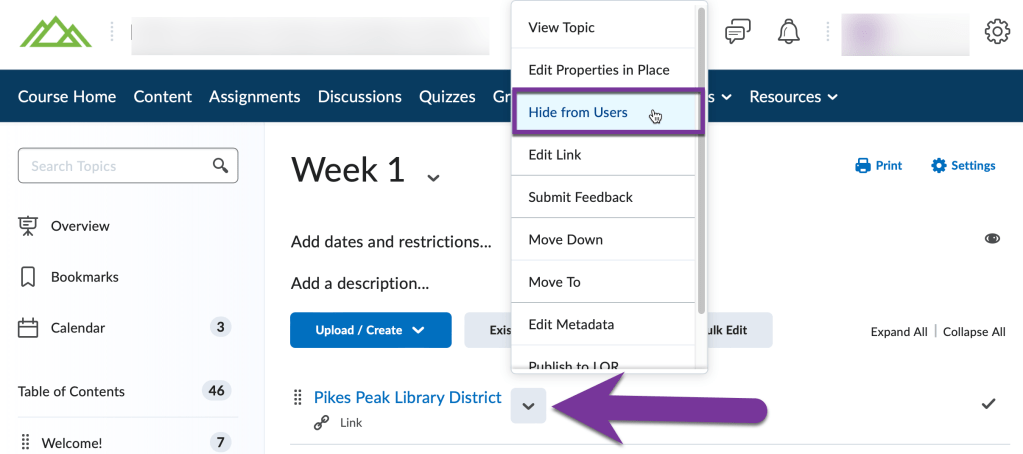
Once you’ve done that, an eye icon will appear showing that the item has been hidden:
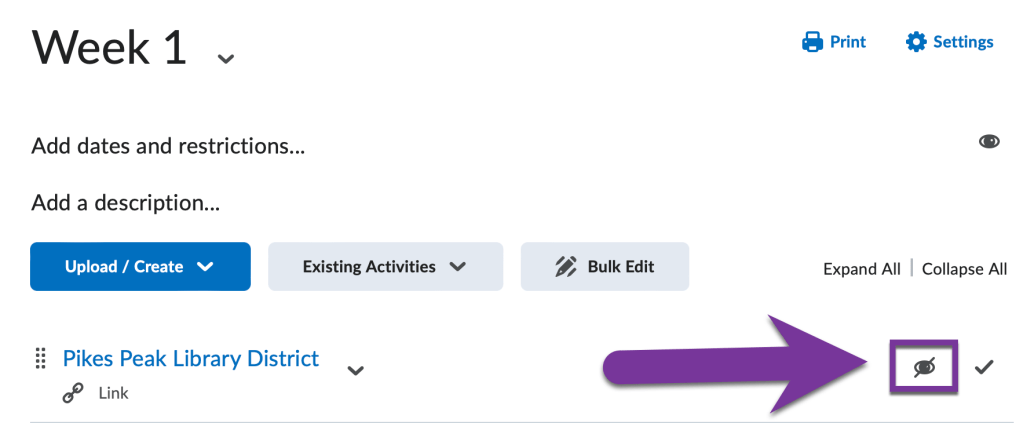
That’s it! When you want to make the item visible to your students again, simply click the down arrow (⌄) next to the item again, and this time choose the option to “Make Visible to Users”.


You must be logged in to post a comment.