
Using the “CC” Filter #
Searching for videos that have captions on YouTube, can be done by completing the following steps:
- Go to YouTube
- Enter your keywords in the search bar and hit enter.

- Click on the Filter option button.
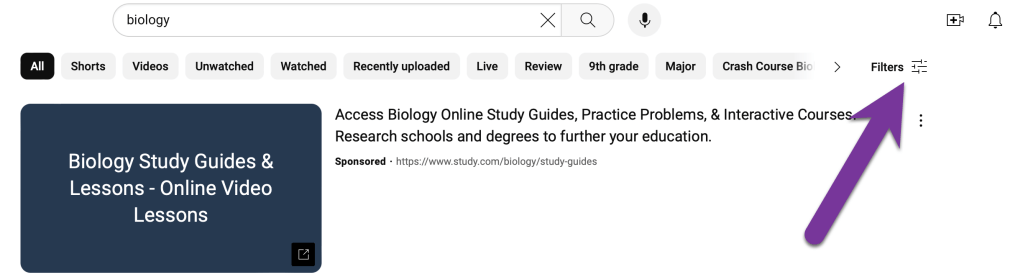
- Click on the Subtitles/CC filter option.
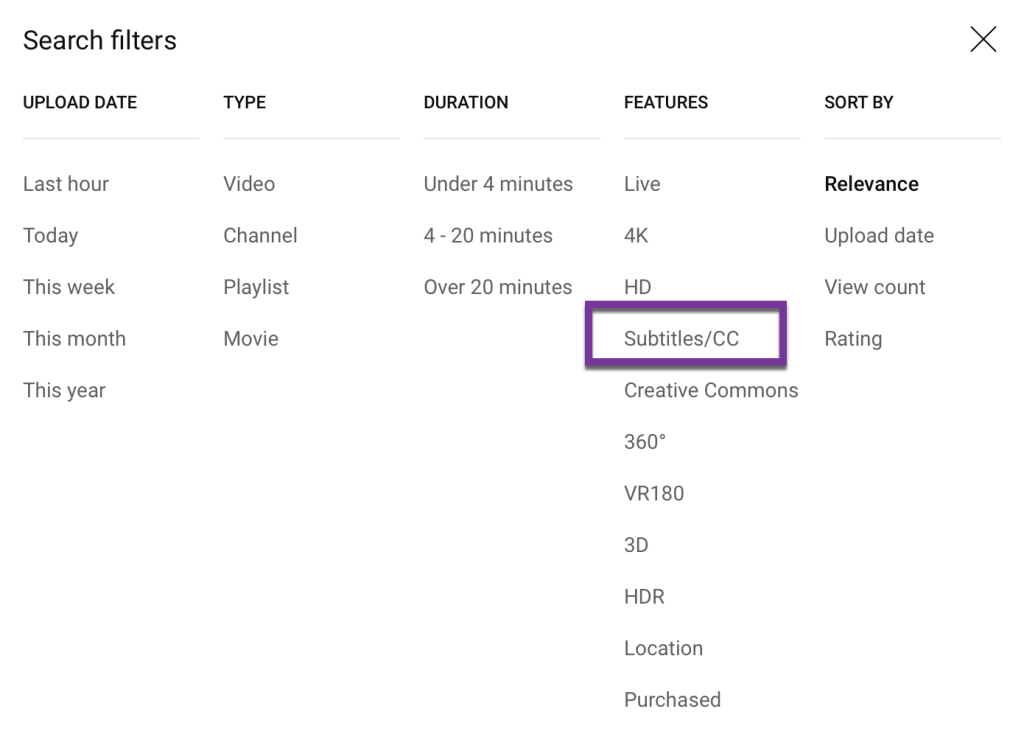
You will now only see videos where the captions have been enabled. Be sure to watch any videos, prior to using them in your course, just to make sure the captions are accurate.
Video Overview #
The following video from Barry Dahl (Senior Community Manager at D2L), provides a quick how-to on how to find videos that have accurate captions:
Searching for CC Videos with Good Captions © 2016 – Barry Dahl


You must be logged in to post a comment.