
If you would like to exclude a grade item (column) from a student’s overall grade calculation, follow the steps below.
Navigate to Grades. Then, click the down arrow next to the title of the grade item you would like to exclude, then click “Edit”.

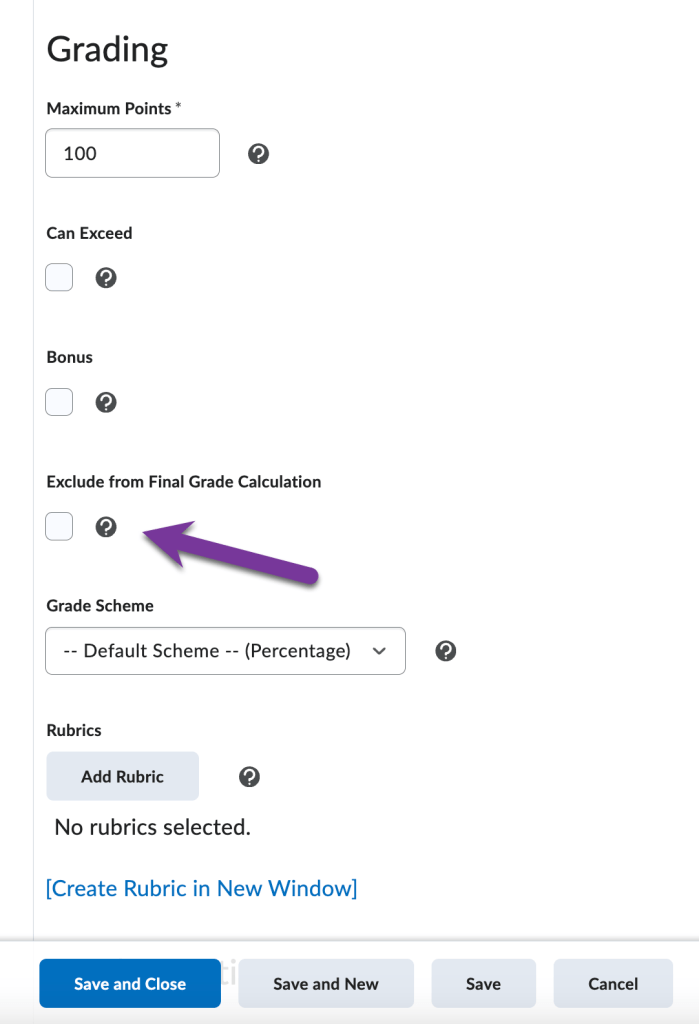
Next, scroll down until you see the “Grading” section. In this area, there will be a box you can check to “Exclude from Final Grade Calculation”. Check this box, then click “Save and Close” to save your changes.
Note: Students will still be able to see the excluded grade item in their gradebook even though it isn’t calculating in the final grade, unless you choose to hide it from them.
If you have multiple items that you need to exclude from the final grade calculation, you can also use the bulk edit grade feature to edit all the grade items you need at once.


You must be logged in to post a comment.