
To edit the Instructor Information Widget, navigate to your course, then scroll down your course homepage until you see the Instructor Information widget.

Click on the down arrow next to “Instructor Information” and select “Configure this widget”.

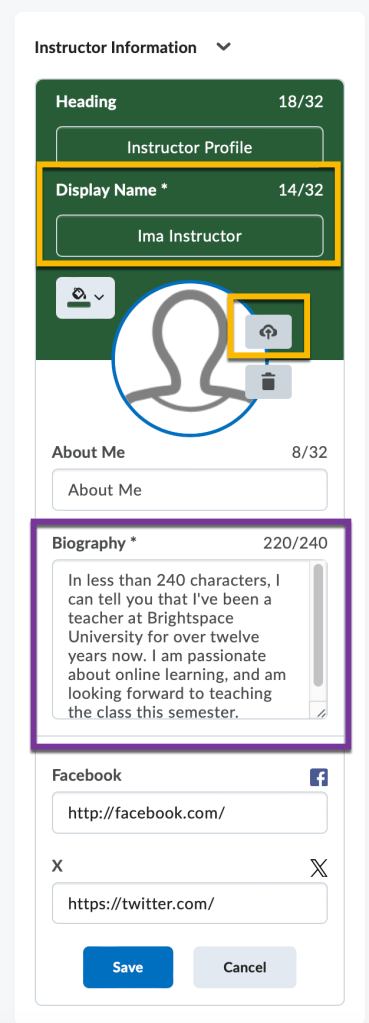
This will allow you to edit any of the fields in the widget. We recommend changing the “Display Name” to your name, adding a photo of yourself, and filling out the “Biography” section. Please include information on the best way students can contact you. Click the blue “Save” button when finished.


You must be logged in to post a comment.