
If you are no longer seeing announcements that your fellow students are, you may have used the Dismiss feature in D2L announcements.
If you click the X icon next to any announcement, this will dismiss the announcement and remove it from your course home page. However, this will dismiss the announcement for your account only, not any other students, or instructors.
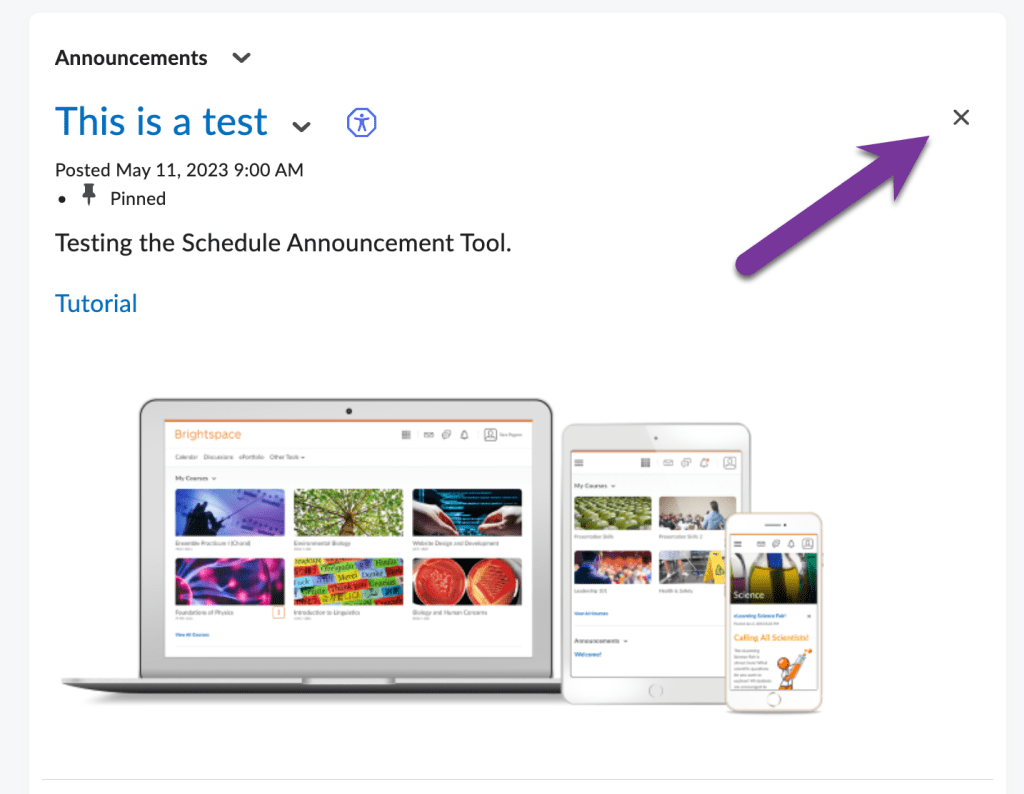
Restore a Dismissed Announcement #
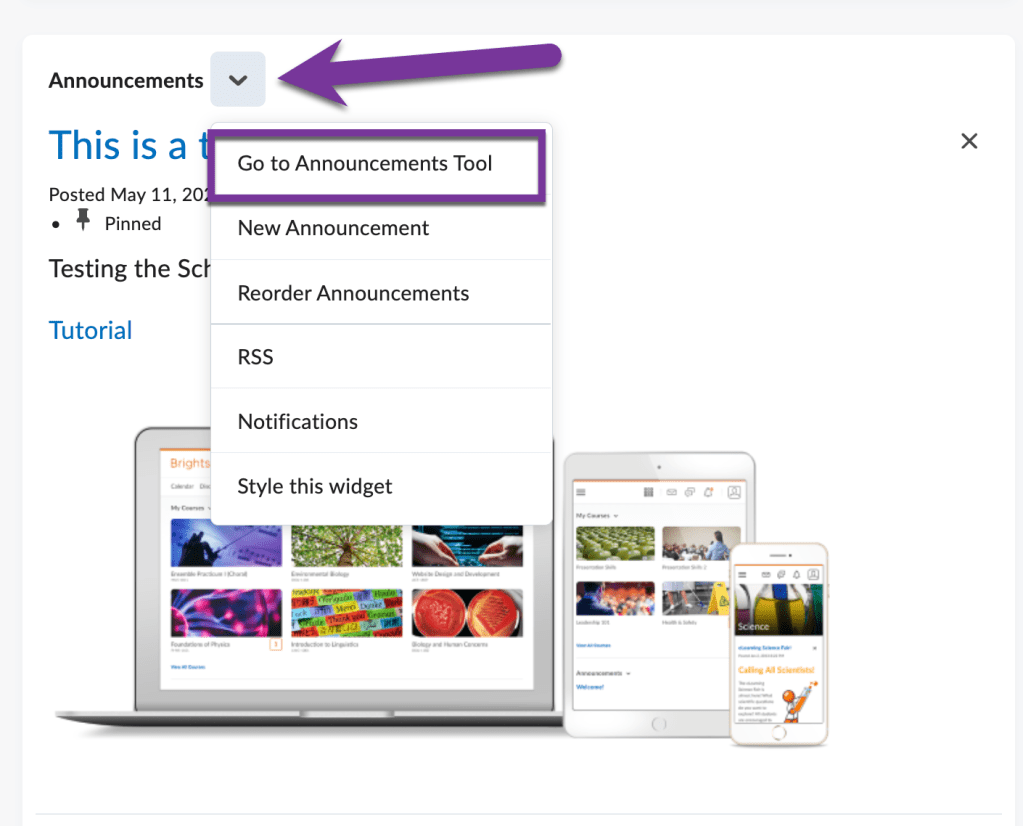
To restore a dismissed announcement, click on the down arrow next to “Announcements” and select “Go to Announcements Tool.”
You will see the dismissed assignments have a message saying “(dismissed)” next to their title.

Click on the down arrow next to the title of the announcement and select “Restore.”
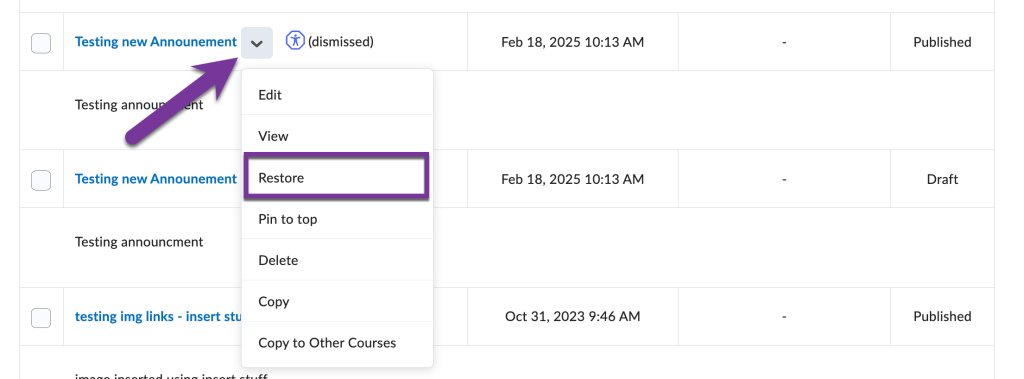
The announcement will now show up on your course homepage once again.


You must be logged in to post a comment.