
If one or more of your students need accommodations for all quizzes in your course, you can quickly give them this permission through the Classlist rather than going quiz by quiz.
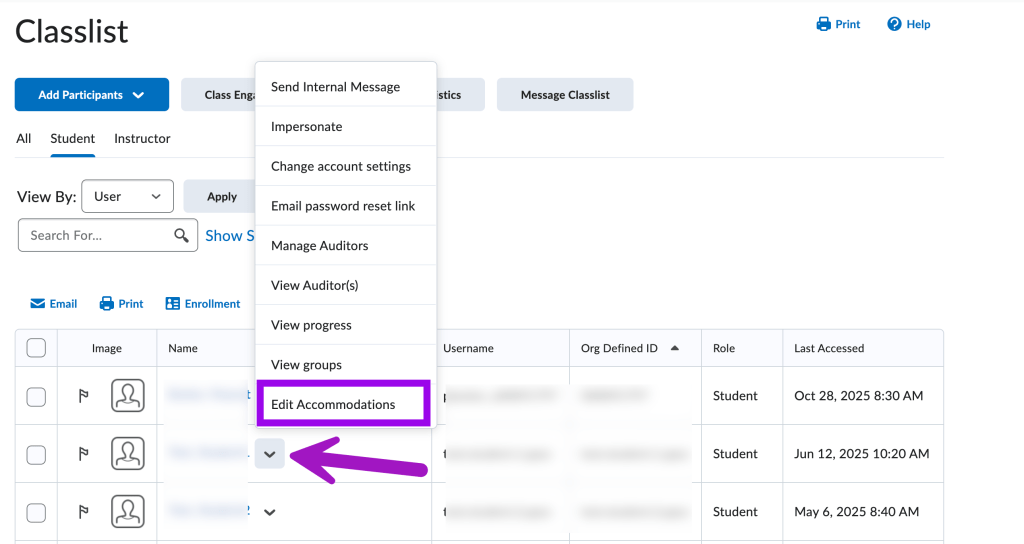
Navigate to your D2L course’s Classlist. Then, click the down arrow next to the student’s name and select “Edit Accommodations.”
In the window that pops up, check the box “Modify Time Limit”. Extended time options include using adding a “Multiplier of original quiz time” or adding a specific number of minutes using “Extra time”. The “Multiplier of original quiz time” may be more useful to you as RCPD VISAs typically specify additional time as 125%, 150%, or 200%. Consequently, you can configure quizzes to allow students 1.25, 1.5, or 2 times the standard duration.
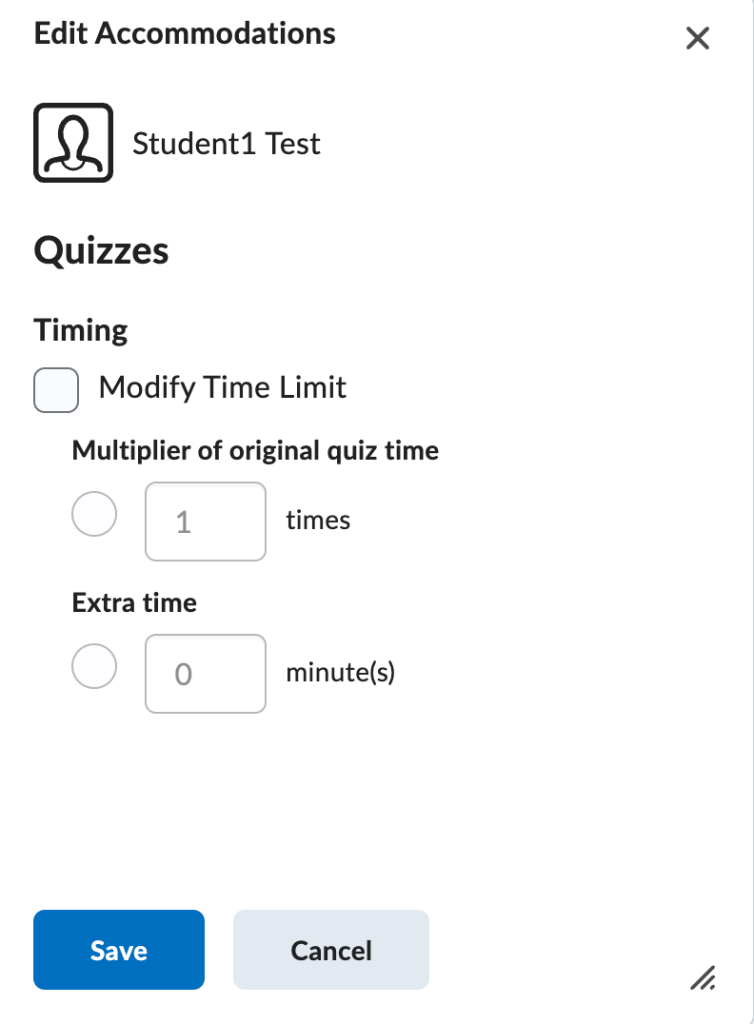
Click “Save” to save your changes.
If you need to adjust the start or end dates or remove items like Respondus Lockdown Browser for a student, those settings will need to be changed quiz by quiz. Learn how to change individual quiz special access in the following article: How to give a student special access.


You must be logged in to post a comment.