
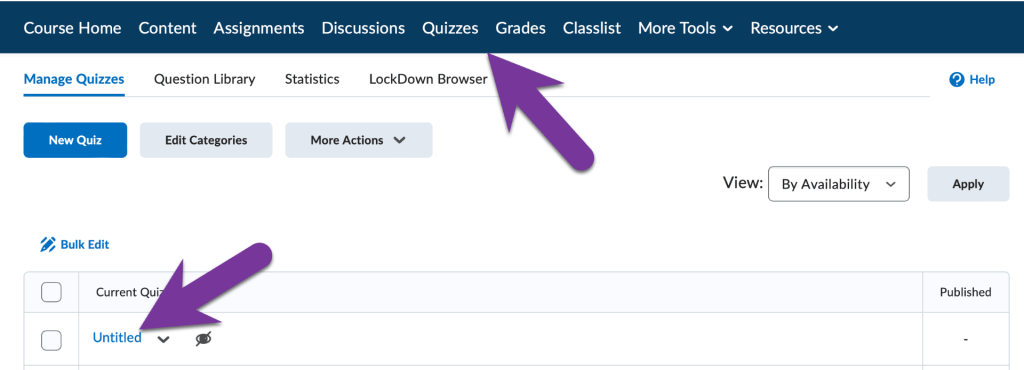
To add questions from the Question Library into your quizzes, go to your Quizzes tab and click on the title of the quiz you would like to add questions to (or, Create a New Quiz).
Then, click on “Add Existing” and select “Browse Question Library”

You’ll likely see a list of “folders” full of questions. Click on the triangle next to a folder title to open it up and see the questions. Check the box next to the folder title to select all the questions in the folder, or check the box next to each individual question you’d like to import instead.

When finished, click on the Import button. Then, Save and Close your Quiz.


You must be logged in to post a comment.