
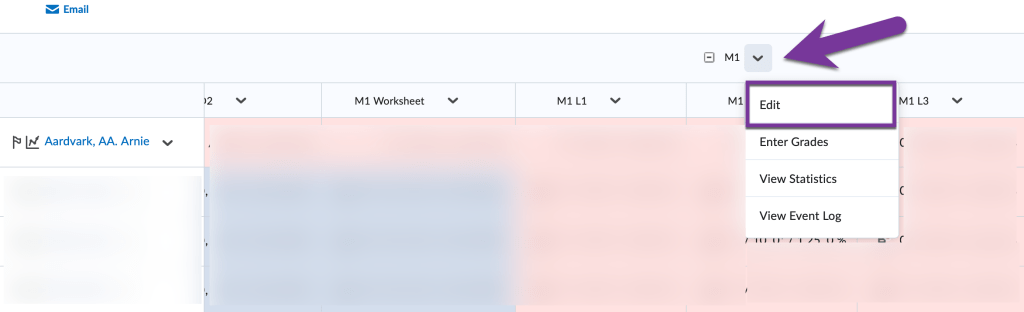
You can turn any learning assessment into an extra credit, or bonus item. To do this, create the assignment, discussion, new grade item, or other learning assessment first. Then, go to Grades from your course navigation bar and locate the item you would like to make an Extra Credit assignment. Click on the down arrow next to the title of the grade item and select edit from the menu that appears.

Scroll down to the “Grading” section. Then, check the box for “Bonus”. This will make it so that this entire grade item/activity is counted as extra credit toward the student’s final grade.

Note: If you would like make a quiz where some questions are extra credit and some are not, please see this article for more information.
Earn above 100% #
By Default, students can only earn up to 100% in a grade category or in their final grade calculation. If you’d like to give students the chance to earn above 100 percent, locate the grade category/final grade calculation column in your gradebook. Click the down arrow next to the title, then click on Edit.

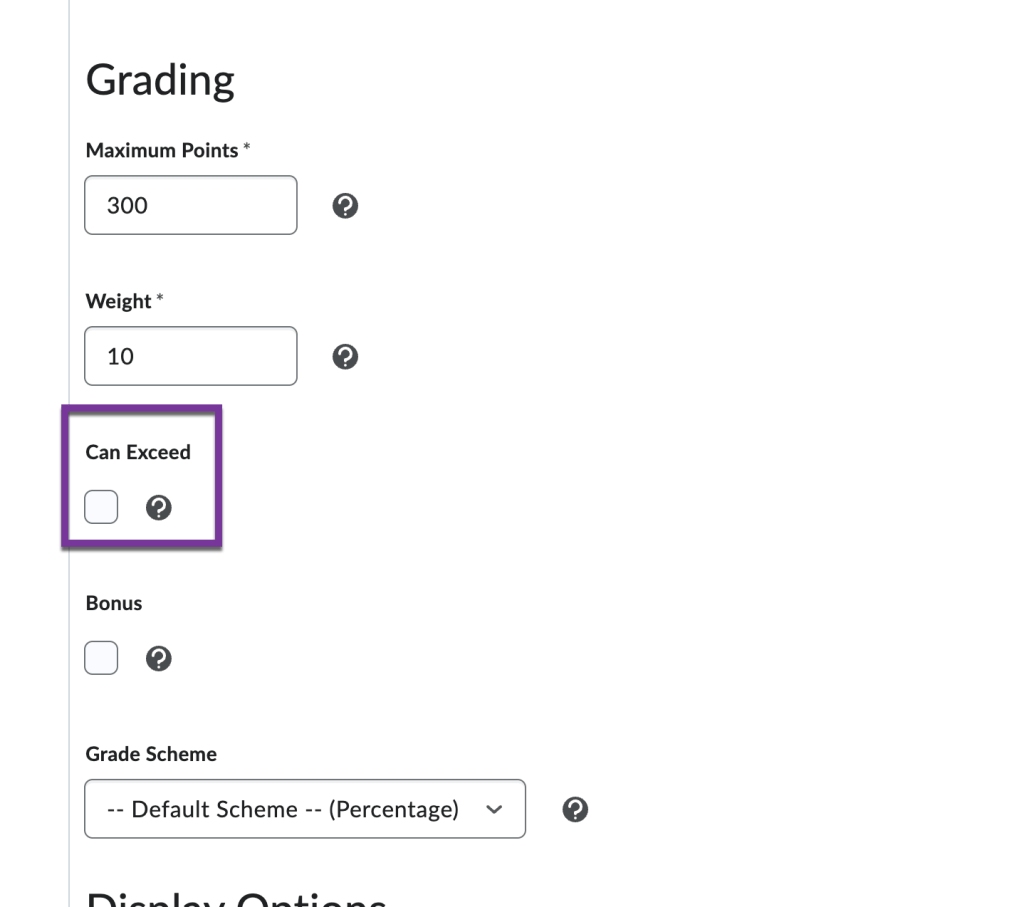
Scroll down to the “Grading” section. Then, check the box for “Can Exceed”. This will make it so students have the ability to receive over 100%. Click “Save and Close” when you’re finished editing.


You must be logged in to post a comment.