
You can add your own custom components to your Simple Syllabus. Note: custom components will appear at the bottom of the Simple Syllabus, and cannot be moved.
To add a component to your department’s Simple Syllabus template, click on the “Add” button in the left navigation bar.
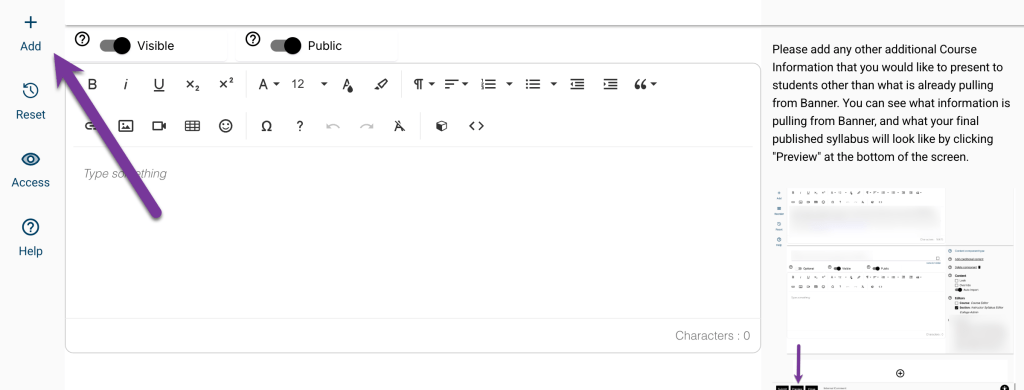
From here, you will be able to name the component and choose its type. Be sure to click “Save” after choosing the component. Your new component will appear at the bottom of the syllabus template.

There are a few settings you will be able to change on your new component. You will be able to make it visible or invisible to students (click to toggle). You can also make the component public, or make it private which will ensure it will only show to students enrolled in your course.
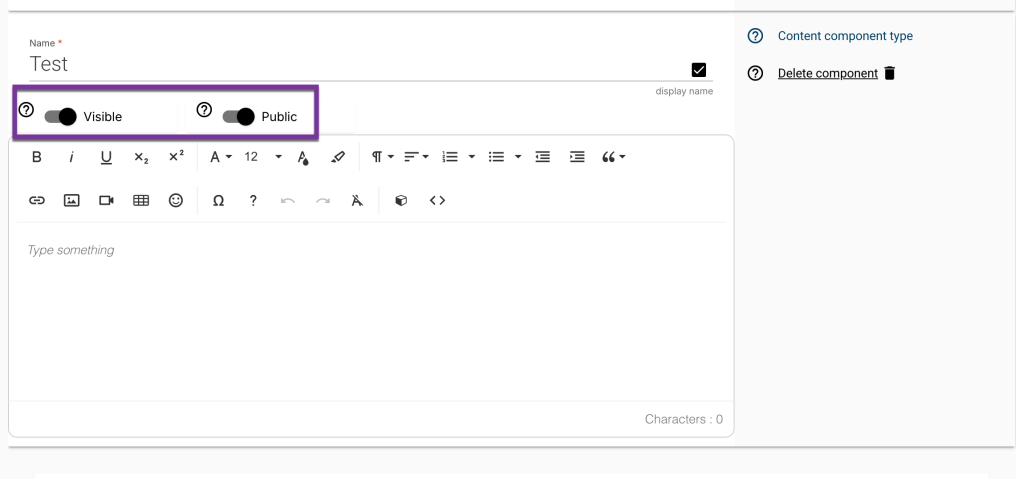
You will also be able to add text, photos, videos, tables, etc like the other syllabus components.

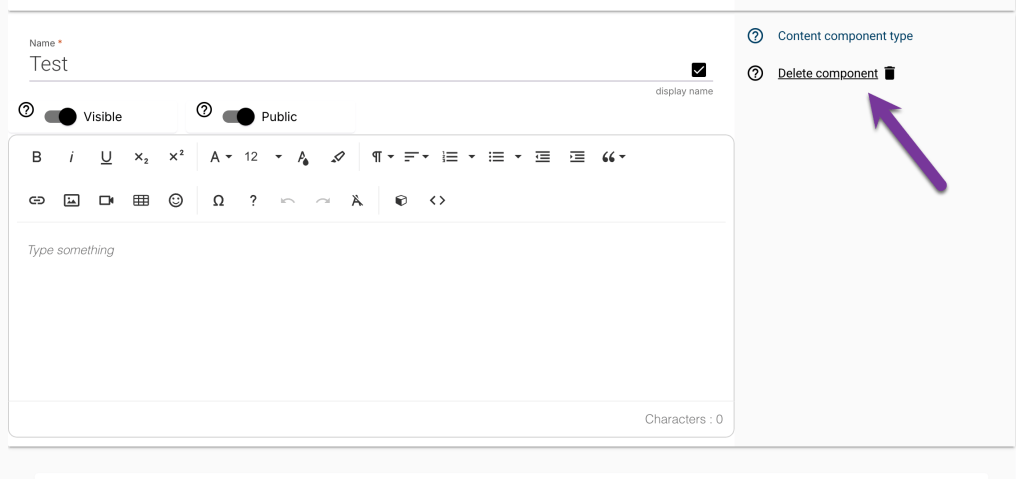
Click “Delete component” from the right navigation area if you would like to delete your custom component.


You must be logged in to post a comment.