
If your course includes an eText that is part of the Inclusive Access or First Day Access program that is using Partner Integration with Barnes and Noble, follow the steps below to add the eText to your course. This is also applicable to Colorado Online Pooled Courses whose Course Materials list an eText only (No Publisher Platform Included).
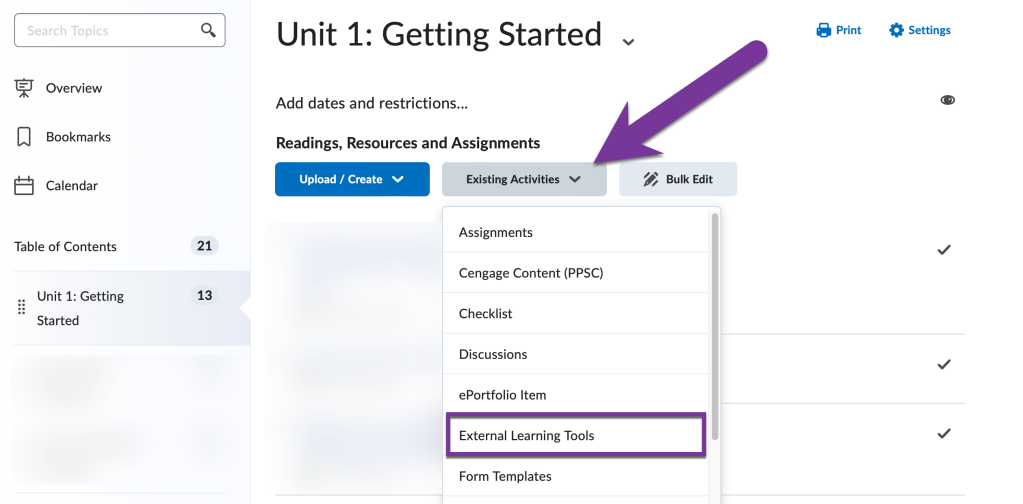
To add the book to your course, you’ll need to navigate to the Content module folder where you’d like the link to the textbook. Then click on “Existing Activities” and “External Learning Tools”.
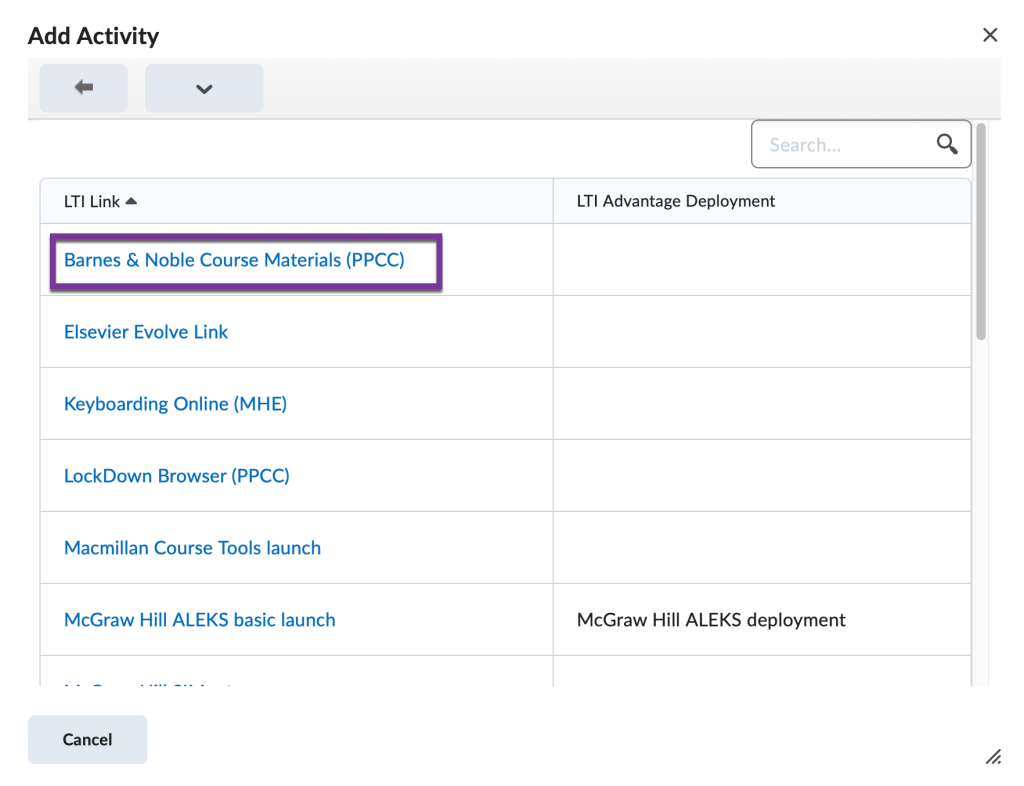
Then, click on the “Barnes and Noble Course Materials (PPCC)” link.
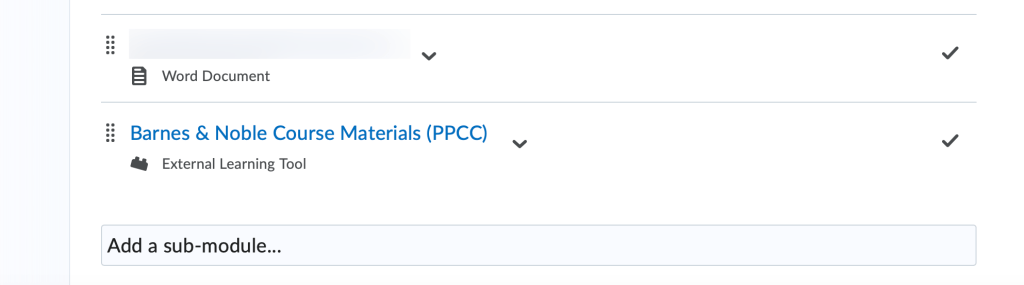
This should put the link to the textbook at the bottom of the module. Click on it to open your textbook. Note that it can sometimes it can take a few minutes for the connection to be made between your D2L course and Barnes and Noble. If you don’t see the book appear after an hour or so, please send us an email with your course prefix, number, and section at elearning@pikespeak.edu.
Note: If you are teaching a Colorado Online Pooled section for a college other than PPSC, please see the following CCCS article for instructions on how to implement the bookstore link for the other college. Some colleges may use different bookstore vendors and will have different methods of implementing the eText materials.


You must be logged in to post a comment.