
The dates to submit no-shows (also called Census Date) can be found on the CO Online Instructional Calendar.
- Log into the Pikes Peak Portal
- Locate the “Faculty Links (Dashboard)” card. You may need to search for it in the Pikes Peak Portal. To search for this card, click the hamburger (three line) icon in the top left corner, then select “All Cards”.

- Click on the “Post Final Grades/No Shows link” inside the Faculty Links (Dashboard) card.

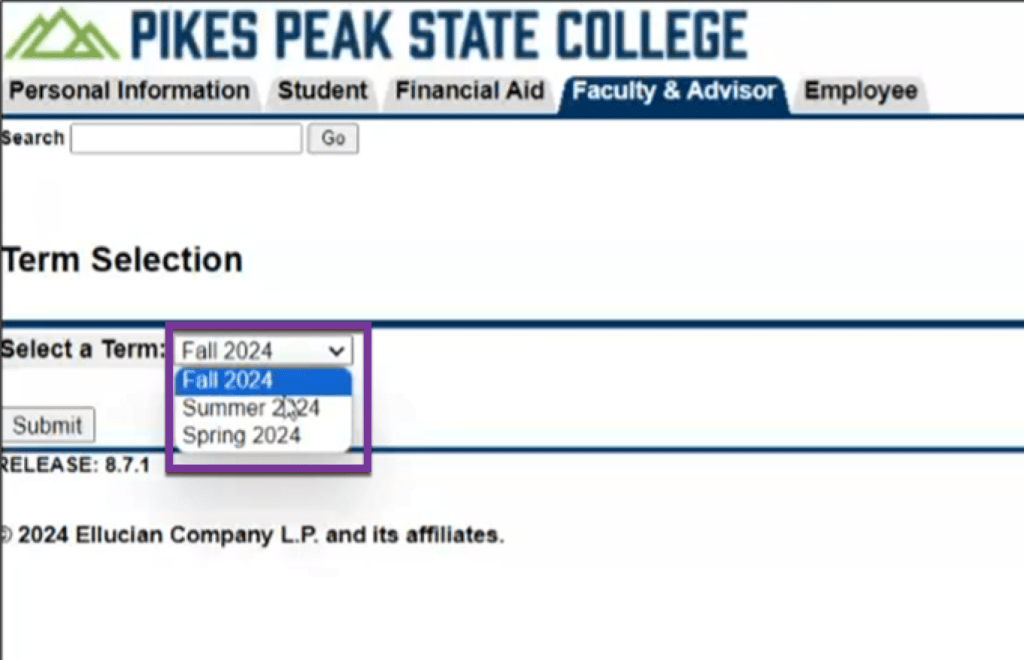
- Select the appropriate term and click “Submit”.
- Select the course from the list of courses under the CRN drop-down. You can also enter in the CRN directly using the link near the bottom of the screen.

- In the Attend Hours column, enter in “0” for all students who are no-shows.
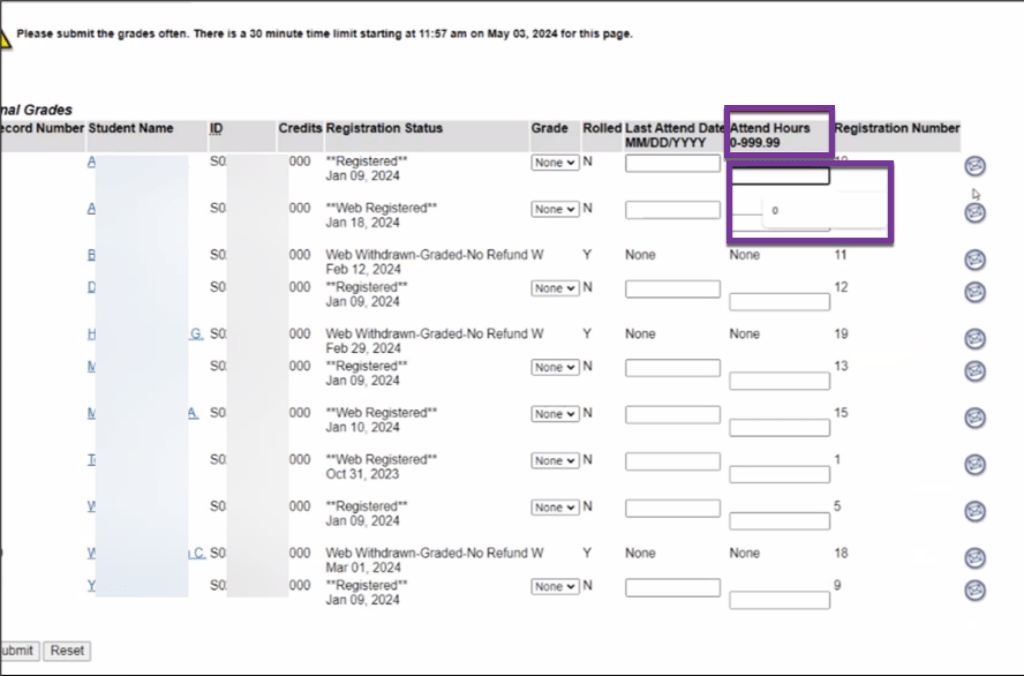
- Click “Update” to save your changes.
Re-Enrollment Requests #
Note: Students can only be re-enrolled 3 days past the Census (No-Show) Date.
If a PPSC student was dropped in error, the student should email the instructor from their student email for re-enrollment approval. If permission is granted, the instructor should direct them to the Registration Add/Drop Form located in the Pikes Peak Portal under the Form Quick Search card, and the student should attach the email exchange with their instructor.
If a non-PPSC student was dropped in error, the student should follow their home college’s procedures regarding re-enrollment. Email studentsuccess@cccs.edu if there are further questions or issues.


You must be logged in to post a comment.