
Posted May 1st, 2024
We have noticed some changes to the instructor feedback interface that have recently occurred.
In Assignments, the wording has changed from “Evaluate” to “Go to Evaluation”. You will also now be able to see if your feedback has been published or if it’s in a draft state, and if students have viewed the feedback you’ve given them.
Old screenshot
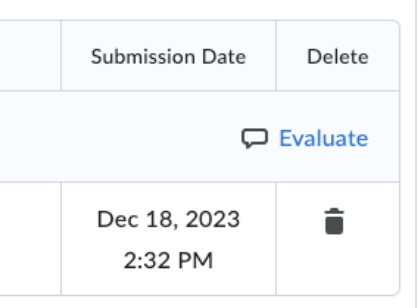
New Screenshot

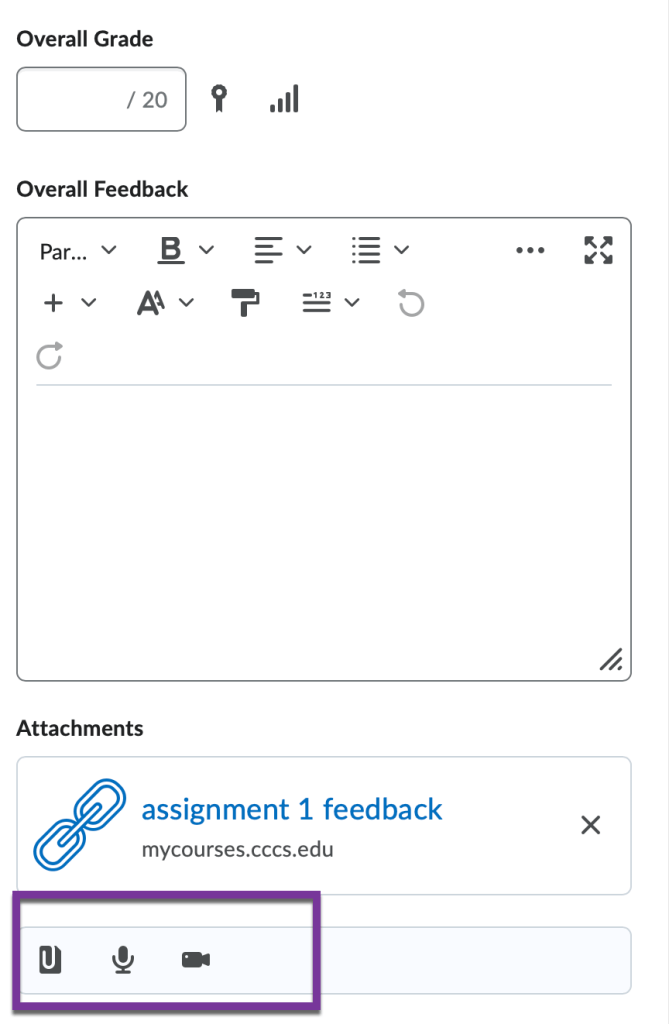
Additionally, when grading assignments or discussions, there are now only 3 icons which allow you to attach a file, add audio feedback, or add video feedback. There used to be several options to insert files, and “Record Audio” and “Record video” was spelled out.
Old Screenshot

New Screenshot
Please contact us at elearning@pikespeak.edu if you have any questions.
You must be logged in to post a comment.