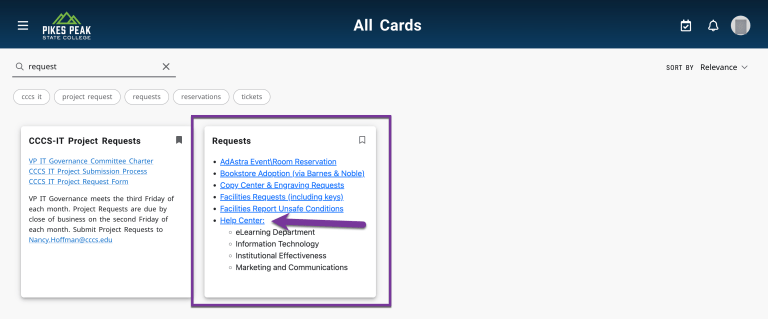
If going through the portal, click on the three line hamburger icon in the top left corner, then select “All Cards”.
Then, search for “Requests”. You should see a Card called “Requests” pop up. Click on the link for “Help Center”.
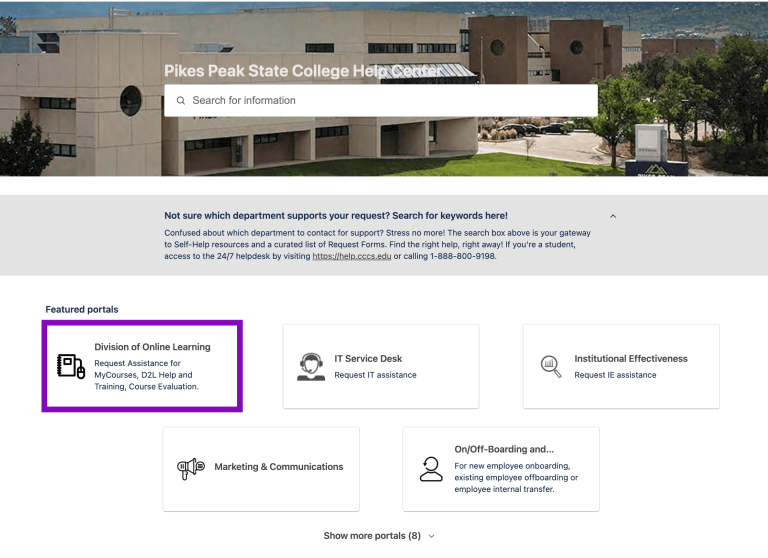
Once you have clicked on the Help Center, you will have a screen to access the PPSC Help Center. Fill in your Pikes Peak email address.
This will take you to a page that asks you to confirm you want to access your Atlassian (Jira) account. Click Continue with Atlassian Account.
This will take you to the login page for all the departments that use Jira for ticketing. Click Division of Online Learning.
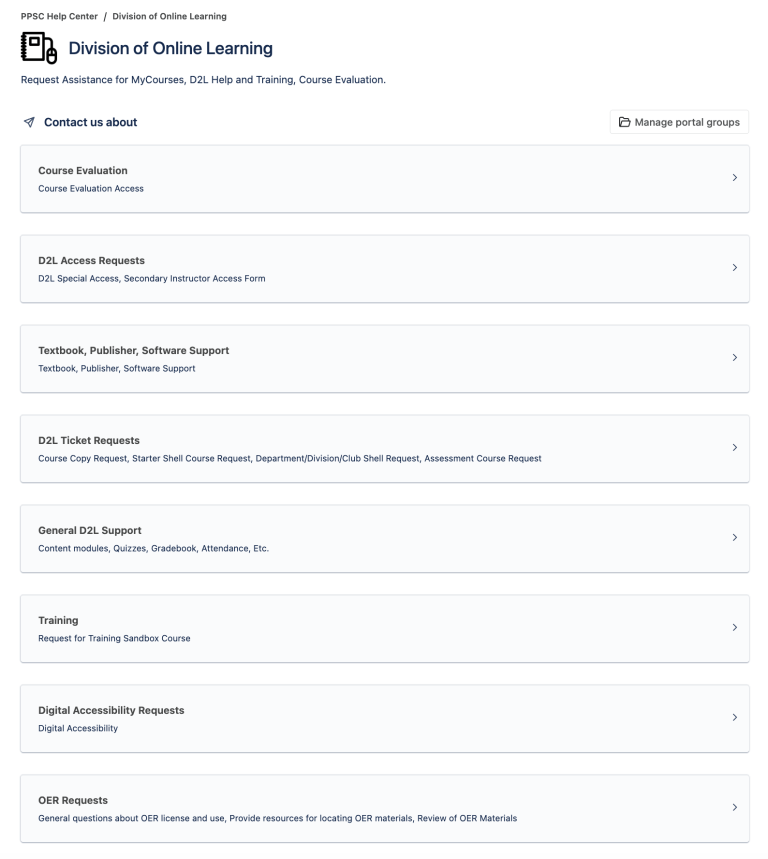
Once you are in the Division of Online Learning section, click the form that best suits your needs. Please make sure you read the descriptions carefully as this tells you a lot of detail about your options.
Click the “Send” button when you have finished filling out the form. This will create a ticket in our system that we can track to ensure you are receiving proper service. Thank you for allowing eLearning to assist you!




You must be logged in to post a comment.